

The Brief
Business operations, finally in one place.
Most businesses run on fragmented systems, inventory in one tool, staff in another, payments somewhere else. Nothing talks to each other. Nexus was built to replace that chaos with one unified management system, role-based, clear, and built for real operational speed.
Fragmented systems
Limited visibility
Operational overload
Unify operations
One system for all business functions
Role based clarity
Each user sees exactly what they need
Reduce cognitive load
Less noise, faster decisions, clearer flow
Unify operations
One system for all business functions
Role based clarity
Each user sees exactly what they need
Reduce cognitive load
Less noise, faster decisions, clearer flow
User Testing
Three roles. One system.
Each role has a different level of access and a different set of needs. The design had to serve all three without creating confusion between them.
Admin
Restaurant Owner
Full access across all modules. Manages users, permissions, business settings, and reports.
- Full system control
- User management
- All reports & analytics
Manager
Operations Lead
Oversees daily operations: inventory, staff scheduling, and performance tracking.
- Inventory management
- Staff scheduling
- Performance reports
Staff
Team Member
Task focused view. Sees only what’s relevant to their daily work, no noise, no distraction.
- Personal task view
- Shift & schedule
- Limited reporting
Admin
Restaurant Owner
Full access across all modules. Manages users, permissions, business settings, and reports.
- Full system control
- User management
- All reports & analytics
Manager
Operations Lead
Oversees daily operations: inventory, staff scheduling, and performance tracking.
- Inventory management
- Staff scheduling
- Performance reports
Staff
Team Member
Task focused view. Sees only what’s relevant to their daily work, no noise, no distraction.
- Personal task view
- Shift & schedule
- Limited reporting
Process
To approach the complexity of the system, we followed a structured design process that helped us define roles, workflows, and system logic before moving into visual design.


Key Flow
From login to full control.
The primary system flowת how each role enters, navigates, and operates within Nexus.

Login & Access
Role Dashboard
Core Actions
Reports & Data
Settings & Control
The Solution
One system. Three perspectives.
Nexus was designed around a single principle: every role should feel like the system was built specifically for them.
Admin sees everything. Managers see what drives operations. Staff see only what moves their day forward.
Same system, three completely different experiences, all consistent, all connected.
Logo

Color palette
#E4C065
#305F6E
#543C2F
#A5844D
#FFFFFF
#262626
Typography
Primary: URBANIST
Urbanist font is an excellent choice for our restaurant management system because its round corners perfectly complement the welcoming and friendly spirit of our project.
Decisions that shaped the system.
Tablet first
First screen = most important action
Menu depth by role
Final Screens
The finished system.
System screens
These screens define the foundation of the system and support daily operations across all roles.
Log in
Users are directed into the system with permissions according to their role

Invoices
Invoices are easy to review, create without disrupting daily workflows

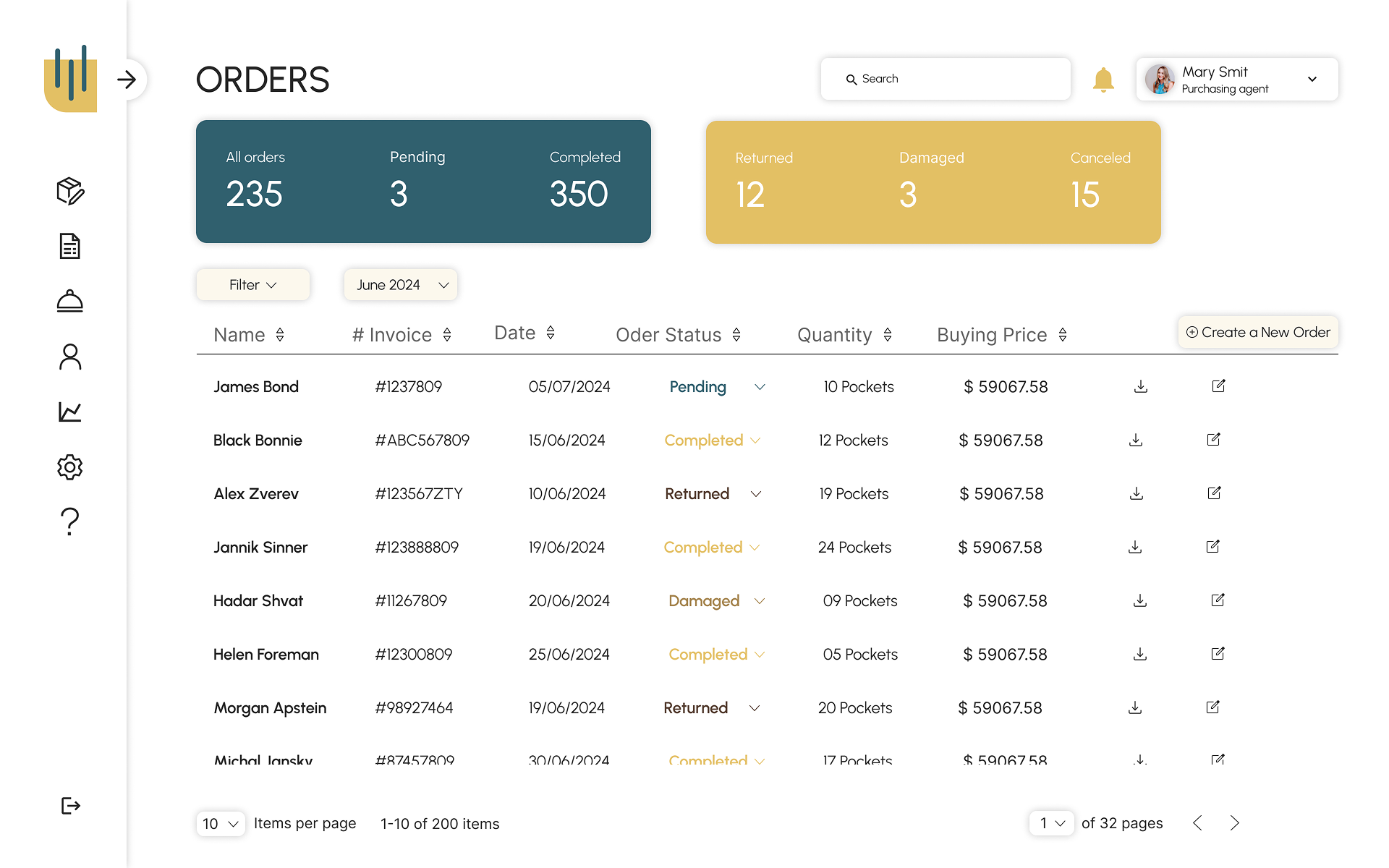
Orders
Orders can be added, reviewed and updated
Suppliers
Organized access to suppliers and related data

Role based screens
The same system adapts to different roles by adjusting access, focus, and available actions.
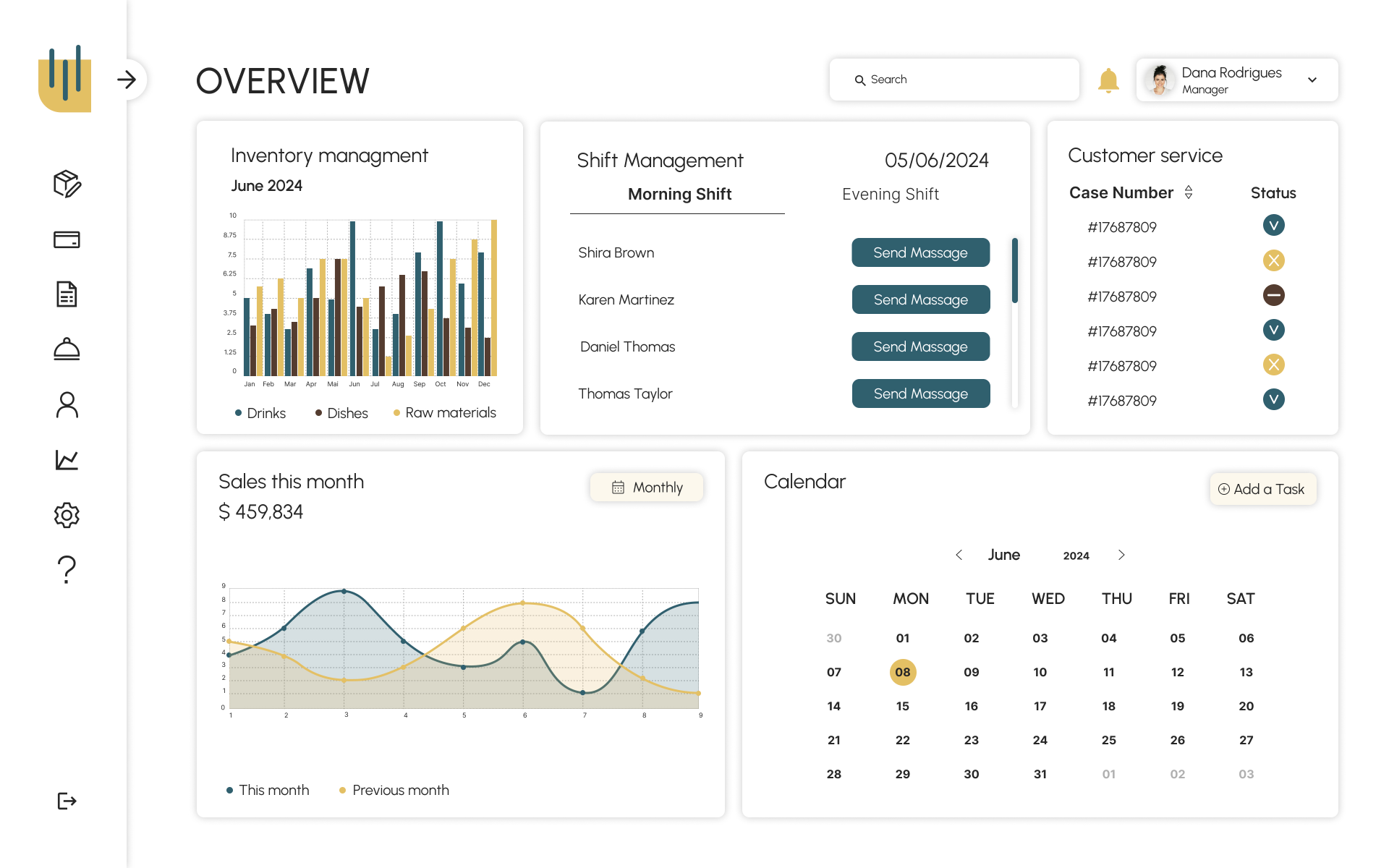
Manager overview
A high leveloverview of the restaurant’s performance
SALES
Clear visibility into sales data, for manager view only

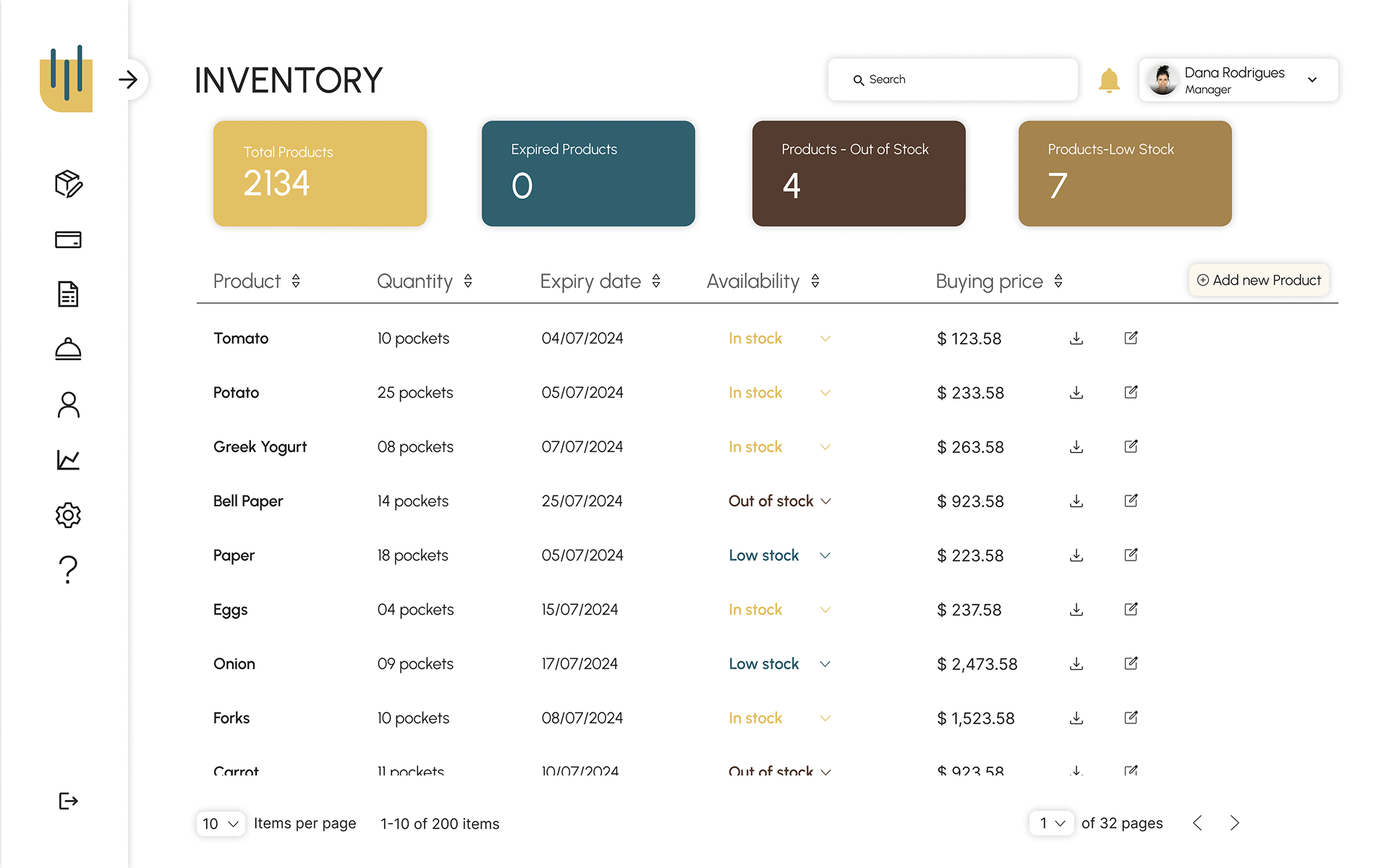
Inventory
Full control over the products, for manager and kitchen staff’s view and update
Creation form
One unified form used across the system, for manager and kitchen staff’s update
